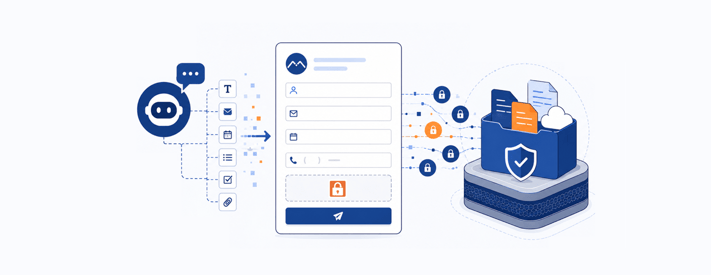
Secure forms are a useful tool for sensitive data collection at scale, but building a form that captures your specific data using the SendSafely Dropzone Widget has traditionally required developer resources and often additional design work.
Today, we’re excited to introduce the SendSafely Custom Form Builder, a new AI-powered way to create and host secure, branded web forms directly inside your SendSafely portal. With the AI Custom Form Builder, teams can generate and publish fully functional encrypted intake forms using simple natural-language prompts with no coding required.
Build Secure Forms with AI
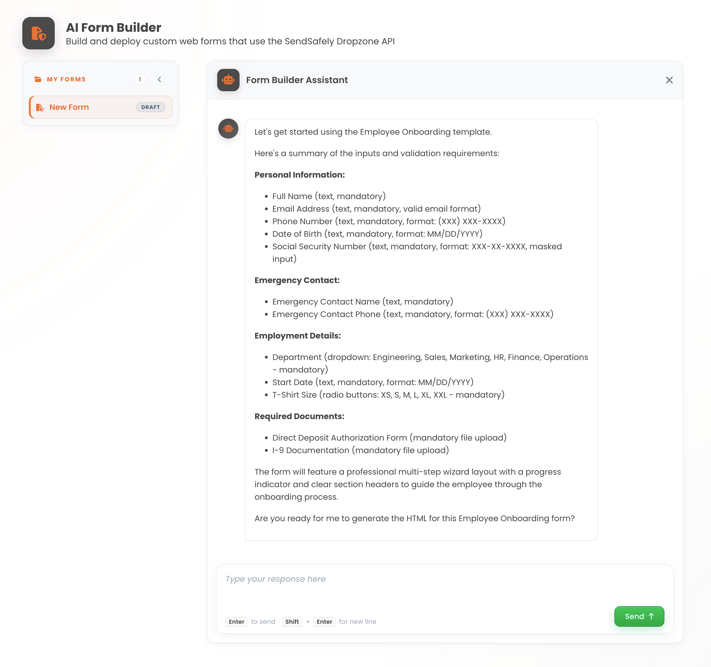
The new Form Builder uses an embedded AI assistant to guide users through creating custom forms tailored to their exact workflow.
Instead of manually building HTML forms or configuring complex integrations, users can leverage one of our pre-built templates to get started, or simply describe what they want:
“Create a customer onboarding form with name, email, account number, supporting documents, and a dropdown for issue type.”
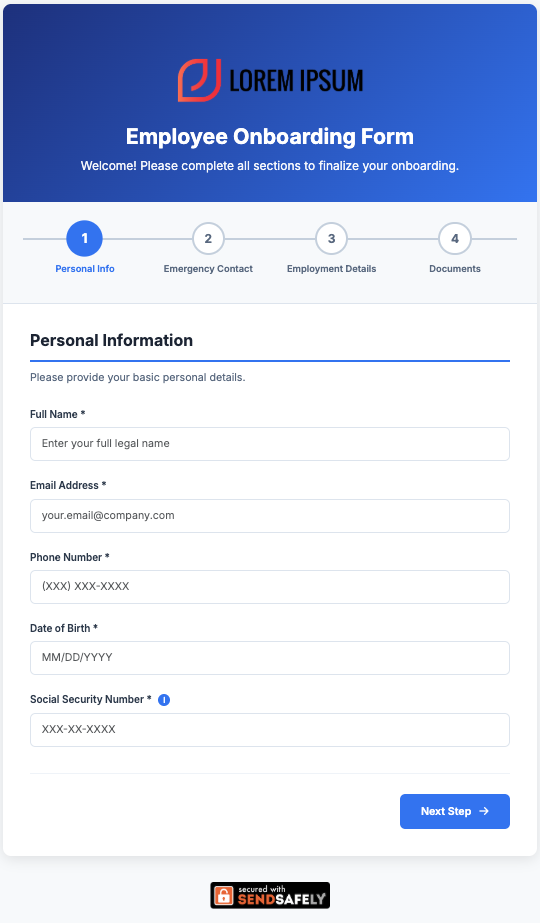
The assistant automatically generates a responsive, production-ready form complete with validation rules, secure file uploads, branding, and encrypted delivery through SendSafely. You can even provide specific guidance on format and styling so the form fits your branding seamlessly.
Every generated form includes:
- Secure file uploads powered by the SendSafely Dropzone
- End-to-end encryption for all submissions
- Built-in validation and input formatting
- Responsive mobile-friendly layouts
- Custom branding and logos
- Submission confirmation tracking IDs
- Secure delivery directly to configured recipients
Forms can be previewed, refined through follow-up prompts, and published within minutes.
Secure File Collection Built In
Unlike traditional form builders that rely on third-party file upload plugins or unsecured attachments, every form submission created with the Custom Form Builder is backed by SendSafely’s encrypted Dropzone infrastructure. Organizations automatically inherit existing Dropzone security controls, including:
- Recipient access controls
- File expiration policies
- File extension restrictions
- Watermarking
- View-only file access
- Webhook and notification integrations
This allows teams to rapidly deploy secure intake workflows without compromising security or compliance requirements.
Customize Without Writing Code
The Form Builder supports a wide variety of form elements out of the box, including:
- Text fields
- Multi-line text areas
- Email validation
- Phone and date masking
- Dropdown menus
- Radio buttons
- Checkboxes
- Secure file attachments
Users iterate conversationally with the AI assistant to refine styling, labels, layouts, and validation requirements.
Need a branded customer intake portal? A secure legal document request workflow? A compliance submission form with reference IDs tied to ticketing systems? The assistant can generate and refine those experiences through simple prompts.
Flexible Publishing and Workflow Integration
Once published, forms are hosted directly under your SendSafely portal using clean URLs, that you can edit, for example:
https://your-company.sendsafely.com/forms/onboarding
Organizations can also append dynamic reference information to form URLs to automatically associate submissions with case numbers, support tickets, or workflow identifiers.
https://your-company.sendsafely.com/forms/onboarding/23456
This makes the Custom Form Builder especially powerful for support teams, compliance operations, legal workflows, financial services onboarding, and any process that requires secure structured intake, integrated with an existing system.
Availability
By combining AI-assisted form generation with SendSafely’s encrypted delivery platform, teams can now launch secure intake workflows in minutes instead of days or weeks.
The SendSafely Custom Form Builder is available in Beta for eligible SendSafely customers.
To learn more or request access, contact your SendSafely representative or visit your SendSafely portal to get started.
AI Custom Form Builder is currently in Beta. For more information, contact sales@sendsafely.com.
SendSafely: Integrated File Transfer for the Apps you Love
If you are looking for a secure way to send or receive files with anyone, or simply need a better way to transfer large files, our platform might be right for you.