
Admins can now conveniently transfer ownership of Transfer packages in bulk to another registered user when deactivating an account from the Enterprise Console. This new mass-transfer capability ensures that important Transfer packages remain active and accessible for recipients during employee offboarding, role changes, or account termination workflows.
Transferring Packages as an Admin
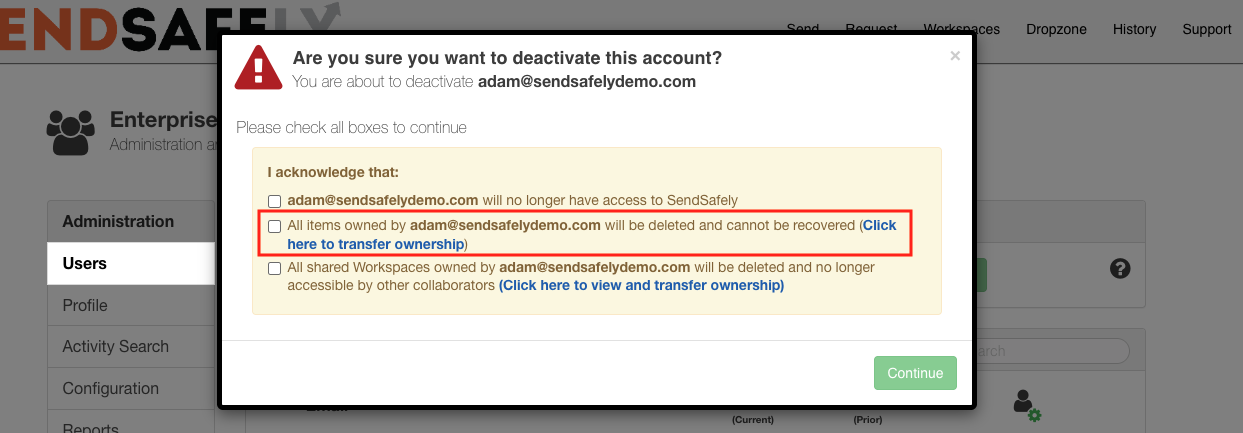
The bulk package transfer option is available to Admins when deactivating a user in the Enterprise Console. After clicking the X icon on the user’s row, a deactivation modal is displayed.
If the user owns active Transfer packages, a new link—“Click here to transfer ownership”—appears alongside the checkbox option:
“All items owned by user@company.com will be deleted and cannot be recovered.”
To initiate a transfer instead of deleting the packages, simply click the new link.
Selecting a New Owner
After clicking the transfer link, a second modal is displayed where the Admin can specify a new owner for the packages. The selected user must be an active, registered user in the SendSafely portal.
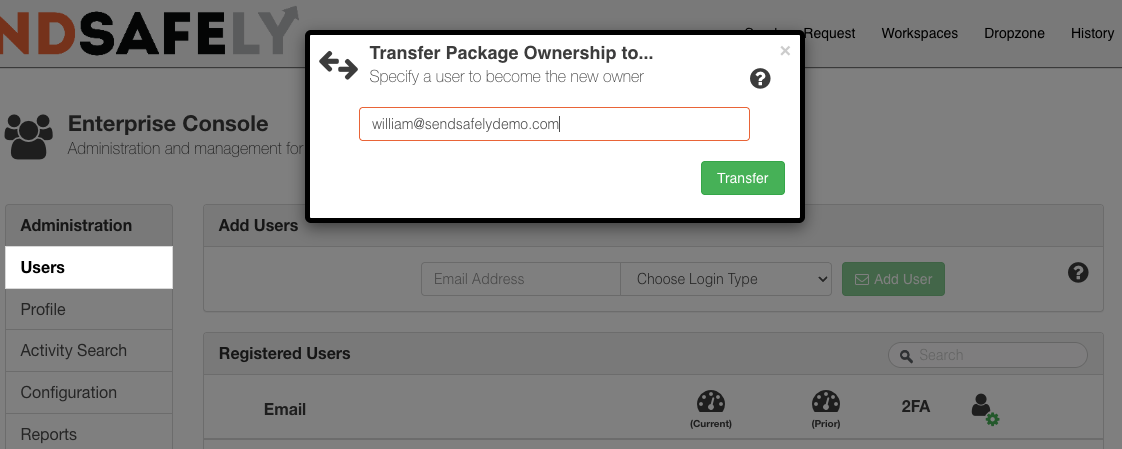
SendSafely transfers packages in batches of up to 250 packages at a time. If the original user owns more than 250 packages, Admins will be prompted to repeat the process until all eligible packages are transferred.
For bulk transfers involving very large numbers of packages, please contact support@sendsafely.com for assistance.
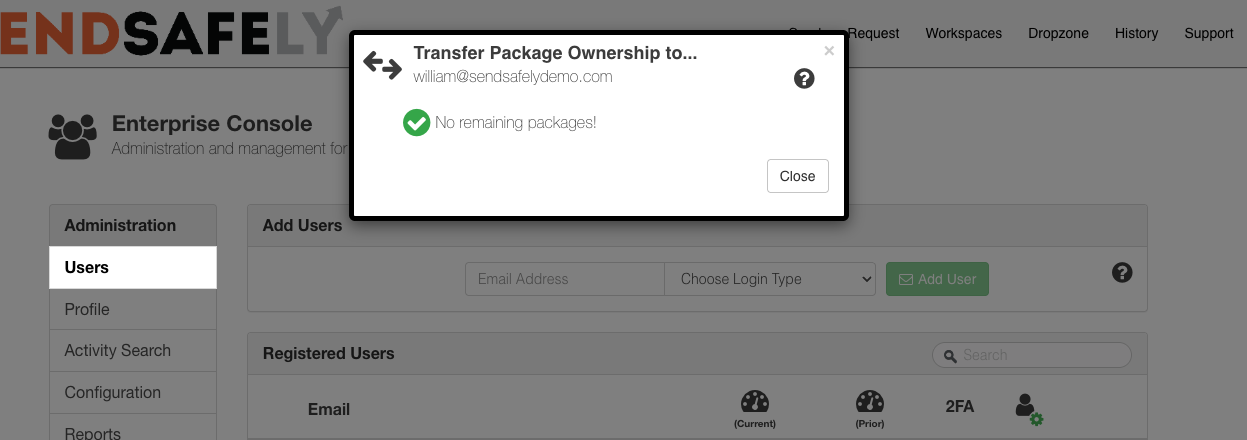
Once all packages have been successfully transferred, the modal displays "No remaining packages!" and can be safely closed.
Package Eligibility Requirements
Only certain packages are eligible for transfer:
-
Packages must be active (not expired)
-
Packages must be Transfer packages
-
Transfer packages are created using the SendSafely Send function
Dropzone packages are not eligible for ownership transfer.
Decryption Keys
Due to SendSafely's end-to-end encryption, transferring ownership of a package does not transfer the decryption key codes required to decrypt its contents.
To access package contents, the new owner must obtain the decryption key through one of the following trusted methods:
-
The original secure link to the package (for example, from an email thread or customer service platform)
For more information on this feature please contact success@sendsafely.com.
SendSafely: Integrated File Transfer for the Apps you Love
If you are looking for a secure way to send or receive files with anyone, or simply need a better way to transfer large files, our platform might be right for you.