
With the introduction of Workspace File Expiration, Workspace Owners could configure the automatic removal of files on a Workspace by Workspace basis. It gave teams an easy way to reduce the amount of data stored in individual Workspaces without requiring manual cleanup.
Now, administrators can centrally manage Workspace Expiration from the Enterprise Console, enforcing data retention policies across their entire SendSafely portal.
Enterprise Level Policies
Administrators can define default, minimum, and maximum expiration periods for Workspaces independently of Transfer and Dropzone expiration settings. Once Enforce Workspace Expiration is enabled, the policy is automatically applied across every Workspace in the organization.
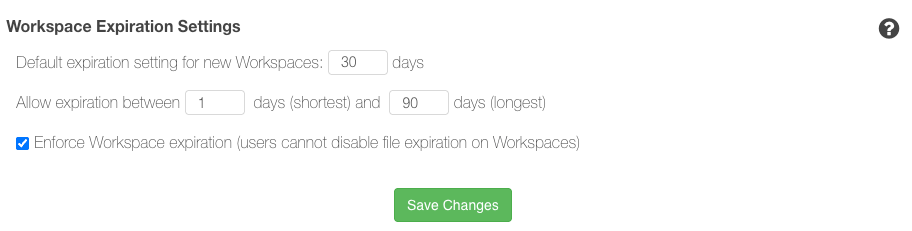
Workspaces that don't currently have expiration enabled will inherit the default expiration setting, while any existing expiration settings outside the allowed min and max range are automatically adjusted to comply with the organization's policy.
Before enabling enforcement, administrators should review the admin report, Workspace Files so they can understand the volume of existing out-of-compliance files that will be impacted by expiration enforcement.
See When Files Will Expire
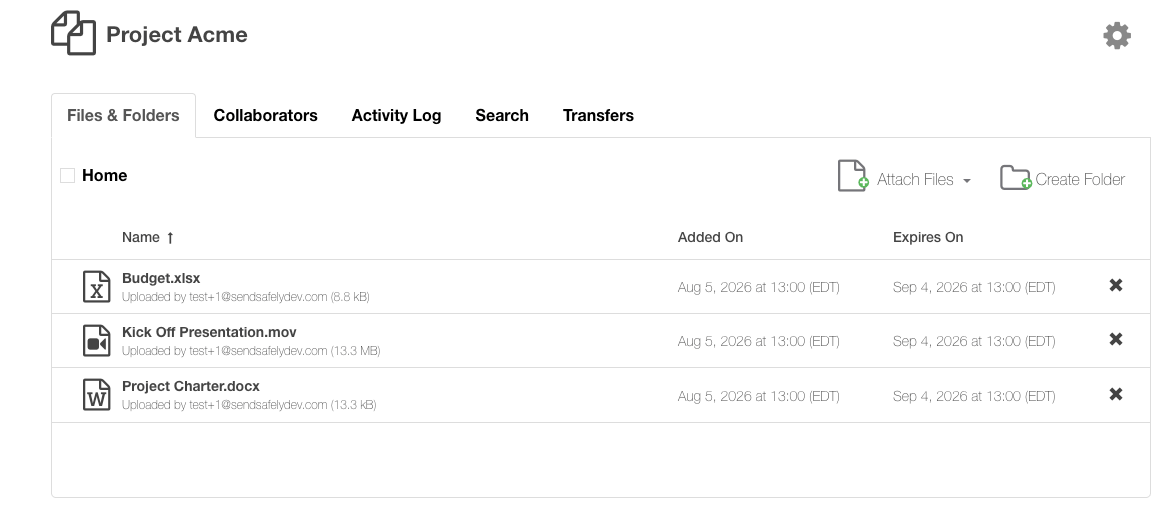
To make expiration policies easier to understand and more visible to collaborators, Workspace files now display their scheduled expiration date. When Workspace Expiration is enabled, the Files & Folders view includes a new Expires On column that displays the calculated expiration date for every file. The column can be sorted like the other file attributes.
The admin report Workspace Files now includes expiration information for every Workspace file. New Expiration Date (UTC) and File State columns make it easy to identify when files are scheduled to expire and whether they are currently Active or Expired. Expired files are no longer visible or accessible in the Workspace, but can be re-instated if the Workspace expiration setting is extended beyond the age of the file. Files remain in Expired state for 30 days prior to being deleted.
Exempt Long-Lived Workspaces
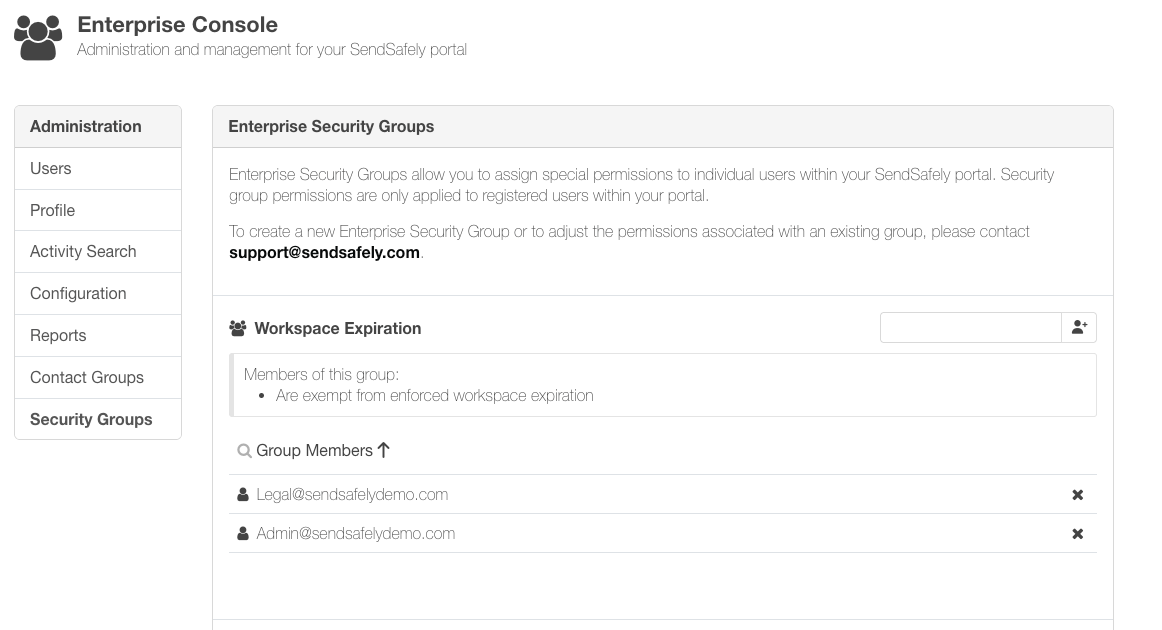
Some Workspaces are intended to remain available indefinitely, such as those used by service accounts or other long-running processes. Administrators can now exempt specific users from organization-wide Workspace Expiration enforcement using a dedicated security group. This makes it possible to enforce retention policies broadly without affecting workflows that rely on persistent storage.
Workspace Expiration helps organizations apply consistent retention policies across every Workspace while giving administrators greater visibility into the lifecycle of their stored files. If you'd like to learn more about Workspace Expiration or see these new capabilities in action, please click 'Request a Demo' below
SendSafely Workspaces are available on the SendSafely Teams, Business and Enterprise plans. For more information, contact success@sendsafely.com.
SendSafely: Integrated File Transfer for the Apps you Love
If you are looking for a secure way to send or receive files with anyone, or simply need a better way to transfer large files, our platform might be right for you.