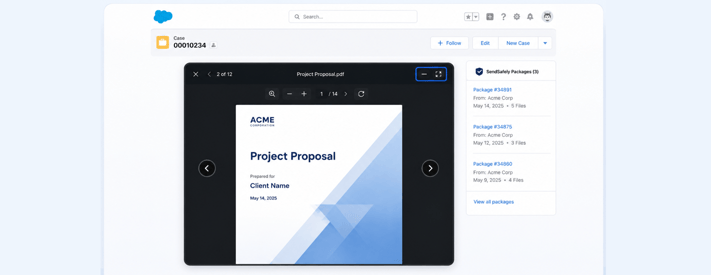
We’re continuing to expand Preview All across the SendSafely platform, bringing a faster, more seamless way to review files directly within Salesforce. This latest release delivers the same streamlined preview experience you’ve seen in the web portal into the Salesforce agent app.
Preview All eliminates friction when reviewing secure files attached to a case. You can now move through every file across all SendSafely packages associated with a single case in one unified viewer.
- Open any previewable file type (image, PDF, or video) to automatically launch the previewer
- Seamlessly cycle through files across all packages attached to a case using on-screen navigation controls
- Minimize and maximize the preview panel to adjust your viewing experience without losing your place
- Download non-previewable files directly from the previewer
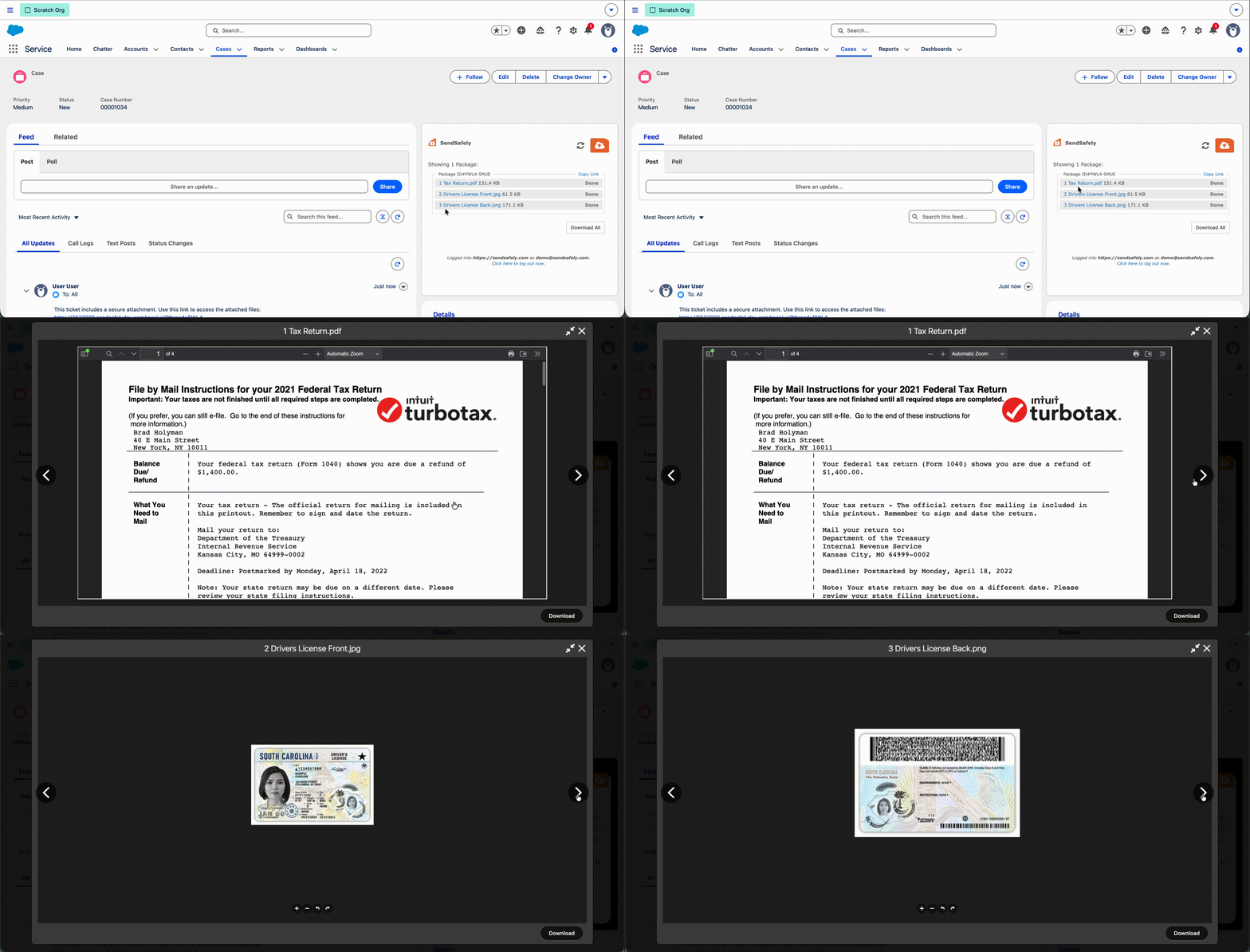
This update makes it easier to review documents, images, videos, and other shared content. From the web portal and Zendesk to Workspaces and now Salesforce, we're making it easier to securely preview, review, and access files while keeping your workflow moving.
SendSafely Workspaces are available on the SendSafely Teams, Business and Enterprise plans. For more information, contact success@sendsafely.com.
SendSafely: Integrated File Transfer for the Apps you Love
If you are looking for a secure way to send or receive files with anyone, or simply need a better way to transfer large files, our platform might be right for you.