We’re excited to announce that Personal Actions Workflows are now available in the SendSafely web portal. Personal workflows let individual non-admin users configure automations triggered by their own SendSafely activity, such as received packages or completed transfers.
These user-specific automations are great for developers testing new workflows, or non-admin service accounts running production workflows with a narrow scope, such as a operating on a single Dropzone or Workspace. The key differences between personal and enterprise workflows are outlined below:
Personal Workflows |
Enterprise Workflows |
|
Can be created by a non-admin user, such as service accounts or developer test accounts |
Can only be created by Admins |
|
Are only triggered by events related to the user/owner, cannot run on events by other users |
Can be triggered by events related to any or all users in the organization |
|
Workflow Identity (ownership) cannot be changed |
Workflow Identity can be changed to any other Admin account |
Accessing Personal Workflows
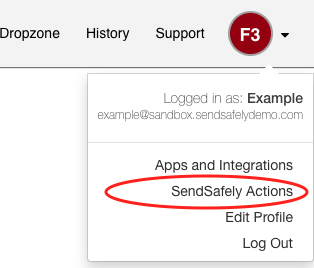
Users authorized to create Personal Workflows will see a "SendSafely Actions" option in their profile dropdown menu.
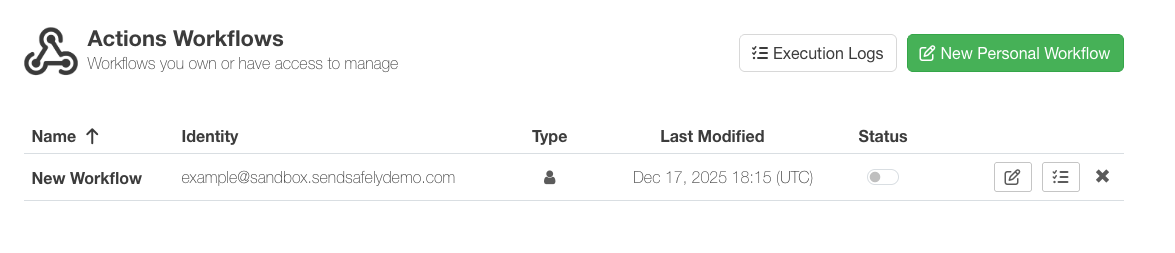
This link leads to the Workflow Listing page, showing only their own Personal Workflows and an option to create new workflows by clicking the “New Personal Workflow” button. A user can have up to 5 personal workflows at a time.
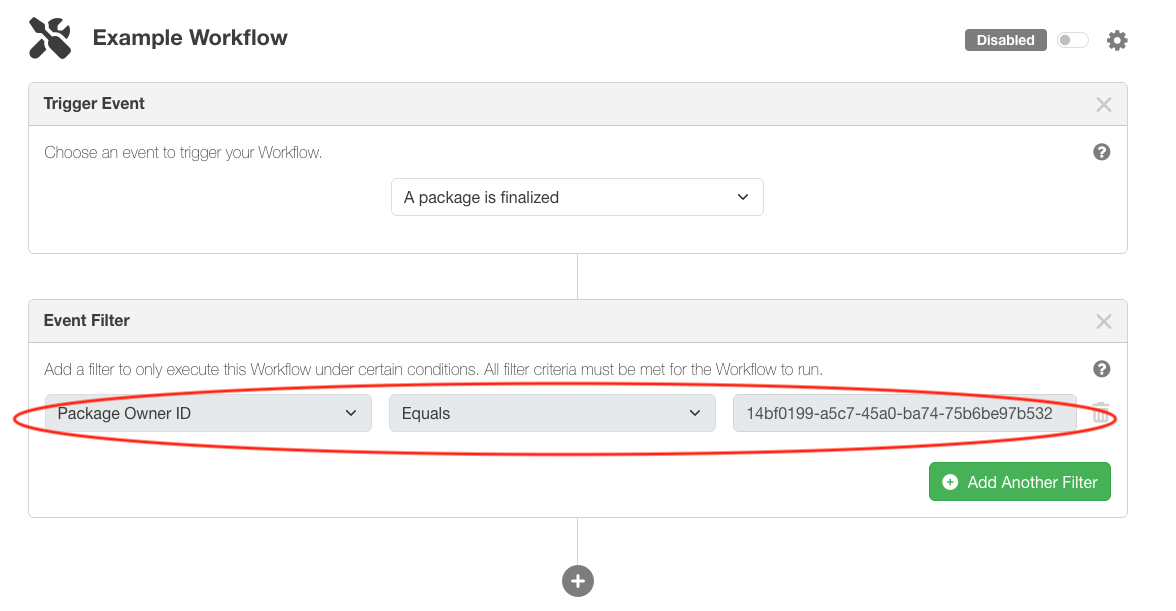
The same workflow editor used for Enterprise Workflows is used for editing Personal Workflows. All existing triggers, events, and actions are supported, with two key differences:
- Workflow Identity
Personal workflows are automatically tied to the user’s account — this cannot be changed in the workflow settings. - Default Event Filter
A non-editable, default filter (“Package Owner ID”) ensures personal workflows only execute for items owned by that user.
Admin Impersonation Support
Admins can impersonate users, including service accounts from the Registered Users section of the Enterprise console to view, create, and edit Personal Workflows on their behalf.
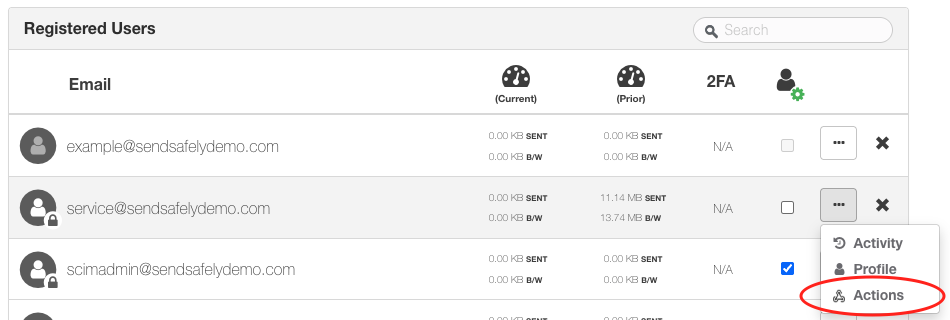
Getting Started
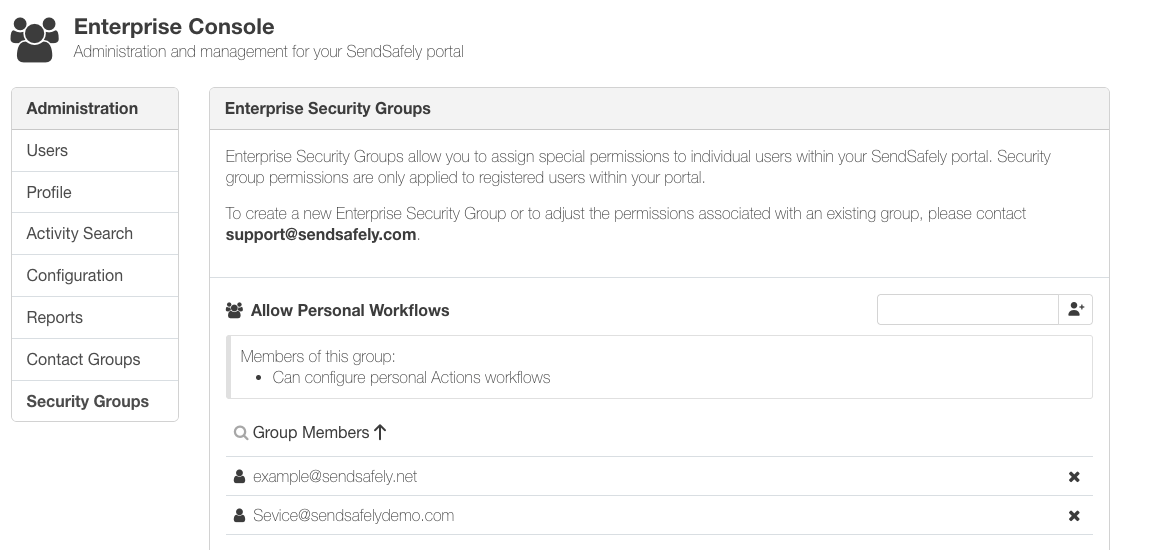
Personal Workflows are available to all Enterprise plan customers and are an opt-in feature. We recommend managing the users or no-login service accounts who are authorized to to create Personal Workflows via SendSafely Security Groups. Please contact the SendSafely support team for more information.
Personal Workflows are available on SendSafely Enterprise plans. For more information, contact success@sendsafely.com.
SendSafely: Integrated File Transfer for the Apps you Love
If you are looking for a secure way to send or receive files with anyone, or simply need a better way to transfer large files, our platform might be right for you.