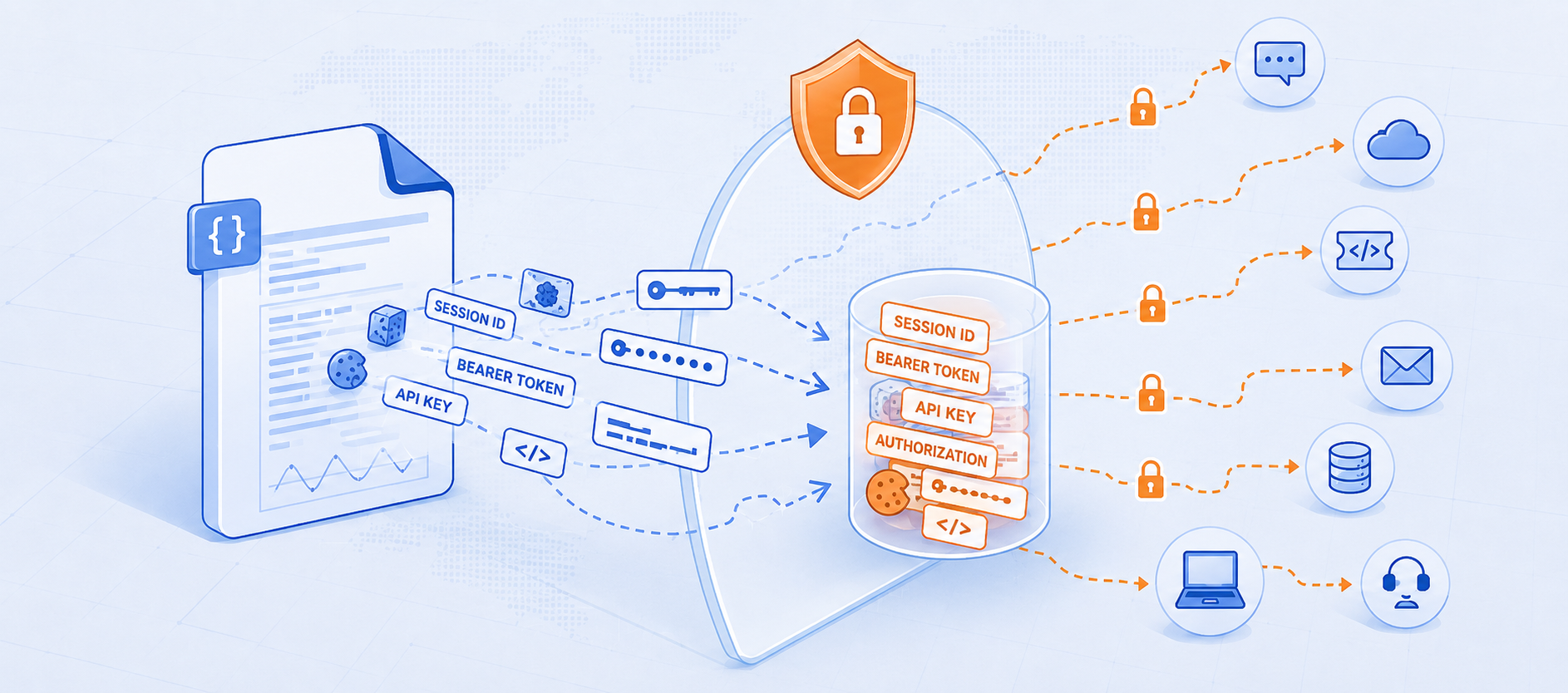
How to prevent support workflows from quietly leaking your customers' credentials. A customer has a problem. Something's broken, they're under pressure. Your team asks for the fastest way to diagnose it: a HAR file, a packet capture, a debug log. They upload it without a second thought because they trust you.
That well-intentioned act is the start of one of the most underestimated exposures in modern SaaS operations. HAR files are the most common culprit, so we'll use them as the running example, but the same risk applies to any diagnostic artifact: packet captures, debug logs, crash dumps, exported configs.
What's Inside These Files
A HAR (HTTP Archive) file records a browser session's entire network traffic. It's meant to reproduce a bug. What it also captures, in plaintext, is everything that crossed the wire: session cookies, bearer tokens, Authorization headers, API keys. These files are built to faithfully reproduce a system's behavior, which unfortunately means they faithfully reproduce its secrets too.
This isn't theoretical. In October 2023, attackers who breached Okta's support case management system went straight for the HAR files in customer tickets. Those files held live session tokens, which they used to hijack the Okta sessions of downstream customers including 1Password, BeyondTrust, and Cloudflare. No zero-day, just credential-bearing files sitting in a support system, harvested and replayed.
The uncomfortable truth: when a customer's file leaks, it's not just your data that's compromised — it's theirs. Their session IDs, their API keys, the keys to their systems.
The Duty of Care Gap
You have a duty of care to your customers. When they hand you a sensitive file, you're accountable for protecting it.
The vendors in your support stack don't share that duty. They have their own retention defaults, subprocessors, and AI ambitions and as SendSafely notes in Your Customers' Sensitive PII Shouldn't Be Training Someone Else's AI, broad rights to use customer data to "improve products" are now standard fine print. Your customer sent that file to you — not to Salesforce, your ticketing vendor, or whatever AI your helpdesk recently acquired. Should any of them see your customer's session tokens and encryption keys? No. But under the default architecture of most support stacks, they already can.
The Journey of a Single File
Follow one HAR file through a typical process. None of these steps are unusual — that's the point.
- Submitted under pressure into your AI chat agent or support widget.
- Ticketed in Salesforce or Zendesk — now embedded in that vendor's cloud.
- Triaged by a wide range of agents, often including outsourced BPO staff.
- Escalated over Slack or MS Teams to experts — a second vendor cloud.
- Reassigned across support tiers, widening access at each hop.
- Handed to Jira for engineering — a third vendor cloud holds the credentials.
- Screen-shared in group meetings, then re-shared.
- Emailed for analysis — copies scattered across inboxes, internal and external.
One customer's credential-bearing file now lives in an AI chat vendor's environment, Salesforce or Zendesk, Slack, Jira, several inboxes, multiple laptops, and inside any AI those platforms run. Multiply that by every file your team has ever requested.
A Blast Radius Nobody Can See
The data has multiplied across vendor clouds, usually with no expiration, so files from years ago sit fully accessible. You've lost the inventory: most organizations couldn't list everywhere a given file resides, so they can't revoke or delete it. Wherever it flows unprotected. It may be feeding vendor AI you'll never audit.
As SendSafely argued in Your Support Desk Is Still a Breach Waiting to Happen, recent breaches weren't exotic. Sensitive data had accumulated in support platforms, too many people had access, and one social-engineering success unlocked all of it. Attackers know this: Google tracks a cluster (UNC6783) compromising BPO agents to reach the Zendesk environments they support. And the platforms aren't a backstop, in June 2026, ServiceNow disclosed a flaw that let anonymous actors query a subset of customer instances before it was fixed.
How SendSafely Closes the Gap
You can't perfectly vet every vendor in a fast-moving SaaS-and-AI supply chain. As SendSafely puts it in The Missing Layer in Enterprise AI: Trust, you solve this by limiting what any vendor can access, rather than trying to evaluate every vendor flawlessly. That's the role of a trust layer.
SendSafely is end-to-end encrypted file exchange that lives inside the tools your teams already use — Salesforce, Slack Zendesk, Jira, Freshdesk, Intercom, and the AI agents now fronting support. The file is encrypted on the customer's own device before it leaves, and that protection travels with it through every step above:
- End-to-end encryption — no intermediary (the platform, Slack, Jira, vendor AI, or SendSafely itself) can read the contents. Even a platform breach leaves the file unreadable.
- Data stays out of vendor platforms — submitted files are not stored by the vendors in your support stack. A file that was never in Salesforce and/or Jira can't be stolen from it, and vendor AI can't train on what it can't see.
- Expiration and deletion you control — credential-bearing files don't pile up, shrinking your blast radius and your customers' at once.
- Just-in-time, minimum access — authorized agents get access only while a case is open; view-only mode leaves no local copies for malware to find.
- IP restrictions — lock access to SendSafely and protected packages to only approved networks. Limit blast radius for hijacked support agent sessions immediately.
- Audit logs — know exactly which files were touched, by whom, and when.
The Bottom Line
A HAR file, or any debug capture a customer sends you, isn't just a troubleshooting artifact. It's a container of your customer's most sensitive credentials, and the moment it enters an unprotected workflow it begins multiplying across vendors who don't owe your customers the duty of care that you do.
You can't stop customers from sending sensitive files. You can keep them encrypted and under your control as they move through every system, team, and AI in your support flow and delete them when they've served their purpose. That's how you make sure the next support-desk breach in the headlines isn't yours, or your customers'.
SendSafely Halo: The Trust Layer Between Your Data and Your AI Stack
Curious what your support workflow's blast radius looks like today? Contact SendSafely at sales@sendsafely.com to learn more or schedule a live demo.
