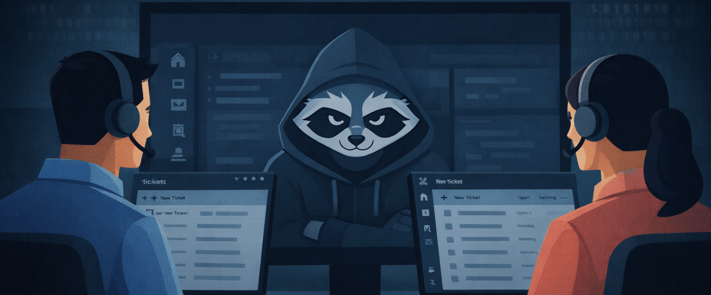
Last year, we warned that attackers targeting the Salesforce ecosystem would not stop there, and that it was increasingly likely they would expand to platforms like Zendesk. While the attacks on Salesforce customers continue, the expansion prediction has unfortunately materialized. Attackers are now targeting other SaaS platforms, such as Zendesk as high-value entry points for sensitive data. If your data lives in SaaS, it’s already in the crosshairs.
As reported by Bill Toulas, the Google Threat Intelligence Group (GTIG) has publicly disclosed a new financially motivated threat cluster — tracked as UNC6783 and potentially linked to a persona known as "Mr. Raccoon" — that is specifically targeting Zendesk environments by “compromising Business Process Outsourcing (BPO) providers that support high-value organizations across multiple sectors”. According to Austin Larsen, Principal Threat Analyst at GTIG, dozens of corporate entities have already been targeted.
For a detailed breakdown of the attack chain: live chat social engineering, spoofed Okta login pages, MFA bypass, RAT deployment, and email extortion, read the full BleepingComputer coverage here.
Why BPO Agents Are the Entry Point
BPO agents are a structurally attractive target. They are external, distributed, and they hold trusted, legitimate access to your most sensitive customer data through your support ticketing platform.
As we covered in our Guide for BPO Operations, BPO agents routinely handle some of the most sensitive data your organization collects, including government IDs, financial records, KYC submissions, and personal information processed on behalf of your customers. That access is what makes them valuable to attackers. Worse, a single BPO support agent may service several organizations simultaneously. NC6783 understands the math: one compromised BPO agent is likely not just one breach. It's potentially a key to every organization that the agent's employer serves.
How SendSafely Reduces the Blast Radius
Google's Mandiant team has published solid defensive recommendations against UNC6783 — deploy phishing-resistant MFA, monitor live chat, block spoofed domains, audit device enrollments. These are very important controls and primarily focus on preventing and detecting the initial compromise.
SendSafely focuses on what happens after, minimizing the blast radius so a compromised Zendesk agent session doesn't translate directly into unfettered access to vast amounts of sensitive customer data.
Ticket & Attachment Access Separation. In most support environments, viewing a ticket means accessing everything attached to it, including sensitive files a customer submitted months or years ago. SendSafely breaks that assumption. Context without exposure: An agent can read a ticket's full history for context without automatically gaining access to the associated file attachments. A BPO agent reviewing a customer's account history doesn't need to see the passport scan from their original KYC submission. With SendSafely, they won't.
Just-in-Time Access Limits Exposure. SendSafely enforces ticket-level, just-in-time access in both Zendesk and Salesforce: agents receive file access when a ticket is assigned and lose it when the ticket closes or is reassigned. A compromised account reaches only what that agent is actively working, not their full previous closed ticket access history.
Data Access Expiration Settings Eliminate Accumulation. Sensitive files don't need to live forever in your support environment. SendSafely's expiration and deletion policies ensure that data access is removed automatically after a defined period. Data that is no longer needed can be deleted, and data that does not exist cannot be exfiltrated.
IP Restrictions Neuter Stolen Credentials. This is one of the most direct controls against the UNC6783 attack pattern. SendSafely's IP Restrictions lock portal access, integrations, and API calls to approved network ranges, such as your corporate VPN or known BPO office networks. Stolen credentials used from attacker-controlled infrastructure are blocked immediately, regardless of how valid they are. For BPO environments specifically, this is a natural fit: your agents work from known, fixed locations. Locking access to those locations ensures credential theft alone is not enough to reach your data.
View-Only Mode Prevents Local Copies. This control is particularly relevant to the UNC6783 threat. Once a RAT is installed on an agent's machine, the attacker has access to every file stored locally on that device, including sensitive customer attachments downloaded from previous tickets the agent may no longer even have access to in Zendesk. SendSafely's view-only mode prevents agents from downloading files to their local machines entirely. Attachments are rendered temporarily in-browser for view. There are no old local copies left over for future malware to find.
Watermarking Can Help Breach Identification. When stolen files surface online in leak forums, extortion communications, or public disclosures — security teams face an immediate question: which agent was compromised? SendSafely's document watermarking embeds the viewing agent's email address directly into PDF and image files. When a customer's passport scan or KYC document appears in a breach, the watermark points directly to the source. That can help accelerate containment, and it acts as a meaningful deterrent for insider misuse as well.
Audit Logs Let You Measure the Actual Blast Radius. When an incident occurs, Zendesk logs will tell you which tickets an attacker accessed. What they won't tell you is whether sensitive file attachments were actually retrieved. Those are two very different levels of exposure. SendSafely's audit logs track file-level interactions independently — recording exactly which files were viewed or downloaded, by whom, and when. Security teams can distinguish between an attacker who browsed ticket metadata and one who successfully exfiltrated customer documents. That precision matters for breach notification decisions, regulatory reporting, and understanding the true scope of what was compromised.
Lastly, by default, SendSafely also helps reduce the “data exposure” blast radius of a future security incident affecting the underlying Zendesk platform itself:
End-to-End Encryption. Files are encrypted on the sender's device prior to transmission. No intermediary party—including your support platform, SendSafely, or your vendor's ecosystem—can access or read the contents. Even a direct compromise of the Zendesk platform itself would allow for the decryption of your data.
Sensitive Data Stays Out of the Ticketing Platform. Your SendSafely portal can store your encrypted files in your own S3 cloud storage. This means the attachments are not stored in Zendesk. A compromise of Zendesk at the platform level doesn't automatically mean a compromise of the files your customers shared — because those files were never there.
The Bottom Line
UNC6783 is targeting the support workflow because it works. Sensitive data accumulates in ticketing systems, BPO agents have broad access, and one successful phishing attempt can unlock it all. Mandiant's controls reduce the likelihood of that phishing attempt succeeding. SendSafely ensures that even when it does, the blast radius is contained.
Contact us at sales@sendsafely.com to learn more or schedule a live demo.
Related Reading:
- Minimizing the Impact of Social Engineering Attacks with SendSafely
- Your Support Desk Is Still a Breach Waiting to Happen
- Securing Customer Data with SendSafely: A Guide for BPO Operations
- IP Restrictions: Lock Down Access to Your SendSafely Portal
SendSafely: Integrated File Transfer for the Apps you Love
If you are looking for a secure way to send or receive files with anyone, or simply need a better way to transfer large files, our platform might be right for you.