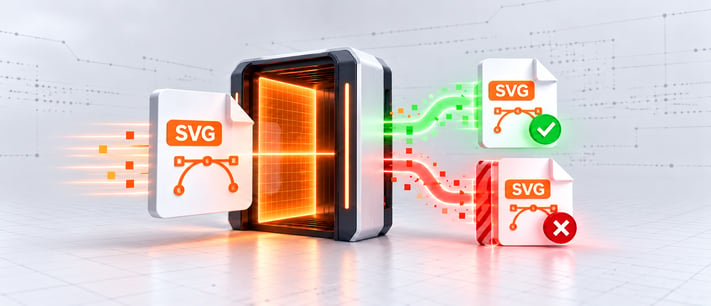
This is the next installment in our series on practical things you can build with SendSafely Actions, following our HAR Sanitizer proof of concept. This time the subject is SVG files, a format that has been getting a lot of attention from attackers and security teams lately.
In late September, Symantec, a division of Broadcom, published a protection bulletin on SVG-borne attacks warning that malicious SVG volume jumped sharply in August, nearly doubling its six-month average. When we saw those numbers, we decided to build a proof of concept Action that screens SVG files for malicious behavior before they reach your teams.
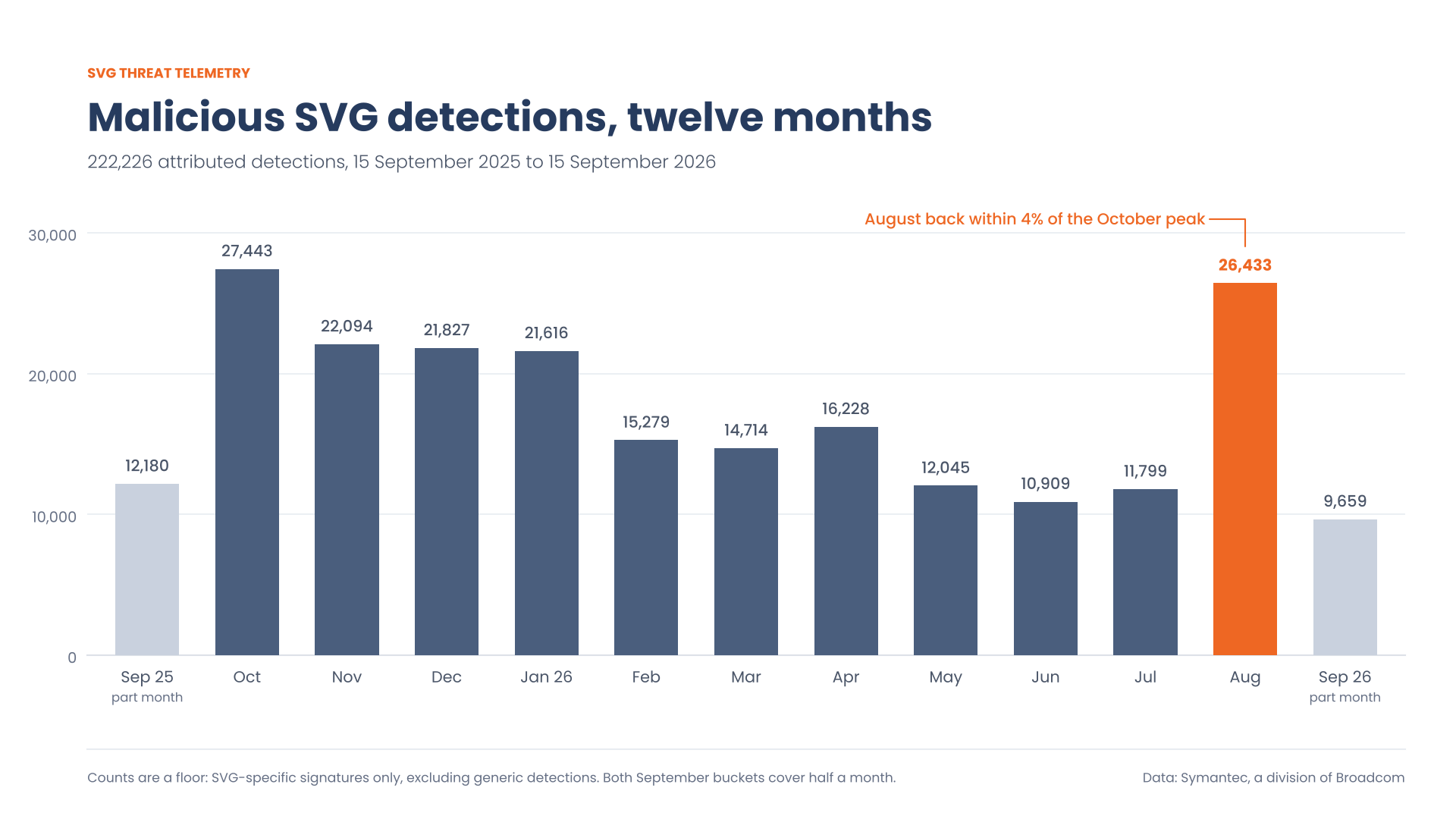
Monthly SVG-attributed detections, September 2025 to September 2026. Chart: SendSafely, from data published by Symantec, a division of Broadcom.
The underlying problem is simple: an SVG looks like an image to your security policy, but it behaves like a program in your browser. Actions give you a place to close that gap in your own environment, before a file ever reaches a downstream system.
Why This Matters Now More Than Ever
Unlike a JPEG or PNG, an SVG is not a grid of pixels. It is an XML document that the browser parses and executes. The format legitimately supports embedded JavaScript, and it can even embed arbitrary HTML, which is enough to paint a convincing full-screen login page. Email and attachment policy, meanwhile, generally classifies .svg by extension as an image: script formats like .js, .vbs, and .ps1 sit on the default blocked-attachment lists of the major mail platforms, but SVG does not. Attackers live in that gap.
Symantec’s bulletin has the full numbers, along with a breakdown of the two attack chains these files kick off: lookalike sign-in pages that harvest credentials, and malware reassembled directly in browser memory. Either way, the right place to stop it is at the file itself, before anyone opens it.
How the Action Works
Our proof of concept builds on excellent research from Binary Defense's ARC Labs team. Their post, A Closer Look at Malicious SVG Phishing, breaks down real-world malicious SVG samples, and they published an open-source detection script implementing the behavioral heuristics their researchers derived from those samples. Full credit to the ARC Labs team for both; our Action is a direct port of their detection logic into the SendSafely Actions framework.
The flow follows the same pattern as our HAR Sanitizer. When a package is finalized or a file lands in a Workspace, the workflow blocks the file and invokes a webhook pointing at an AWS Lambda function running in your own environment. The function verifies the webhook signature, then uses a customer-held Master Key to decrypt the file inside that function, so unencrypted content is never exposed to SendSafely or any third-party service.
Each SVG is then evaluated against the three Binary Defense heuristics: high entropy in the file's text, which indicates encoded or encrypted content hiding in what should be human-readable XML; the presence of script tags; and references to external script files. Any file that trips the checks returns a failing verdict and stays blocked, while clean files are unblocked automatically. A strict mode flags a file on any single indicator, and a lenient mode requires two or more, which gives you a dial for false-positive tolerance. The function logs only which indicators fired, never the file's contents.
This proof of concept is designed to run within a customer-managed environment using an AWS Lambda function invoked by SendSafely Actions. The example does not send file contents to a separate scanning service; processing occurs inside that function. Because the implementation incorporates detection logic from an external open-source project, organizations adapting this example would be responsible for evaluating, deploying, maintaining, and updating that component within their own environment.
Beyond SVG Files: What Else Can Actions Do?
The larger idea is the same one behind the HAR Sanitizer. SendSafely provides the secure exchange layer, while Actions make it possible to extend that protection with controls tailored to your organization's workflows and risk profile: inspecting file types, transforming content, enforcing internal policies, or stopping a file that should never reach a downstream system. SVG is simply a timely example, because it is a format your users will recognize as harmless and your existing filters will likely wave through.
Screening files on the way in matters both for your company's risk and for your customers' security. In addition to introducing your own safeguards with SendSafely Actions, consider these additional controls:
- If you're using an AI chat agent, use Halo. SendSafely Halo is designed specifically to allow you to utilize the benefits of AI support without exposing your customers' sensitive data.
- Automated expiration and deletion of sensitive data is one of the best, yet most often overlooked, security controls an organization can use to protect itself and its customers from future incidents. Files received through any SendSafely feature or integration, including Halo, inherit whatever expiration and deletion settings you've configured to meet your requirements.
SendSafely: Integrated File Transfer for the Apps you Love
If you are looking for a secure way to send or receive files with anyone, or simply need a better way to transfer large files, our platform might be right for you.